Turbulence, Avoidance and Legalities

Turbulence is becoming a real issue flying, especially on long haul flights where there’s more chance of it happening.

I won’t get into the scientific or technical explanation of how and why turbulence happens and whether it is exacerbated by climate change, etc. I’m more interested whether the passengers aboard flights can be notified visually of bad weather (and the possibility of turbulence) instead of being warned by a chime and a seat belt sign lighting up.

Before take off the captain or co-pilot make an announcement—the one where they welcome you on board and give some general info on the flight including if there’s chance of bad weather or turbulence, etc.,—is the only time, except when required during the flight, the cockpit makes any weather related announcements known. The question I’m posing here; should passengers know more about weather en route and should this information be added to the onboard IFE (In-flight Entertainment) system?

There are weather apps one can view independently of the IFE. Perhaps while connected to the onboard Wi-Fi. These apps are specifically designed for pilots and show weather forecasts en route. I’ve tried to find a suitable app. Unfortunately the free ones all fall short. Some don’t have weather maps and others that do only show those for North America. Not good for world travellers.

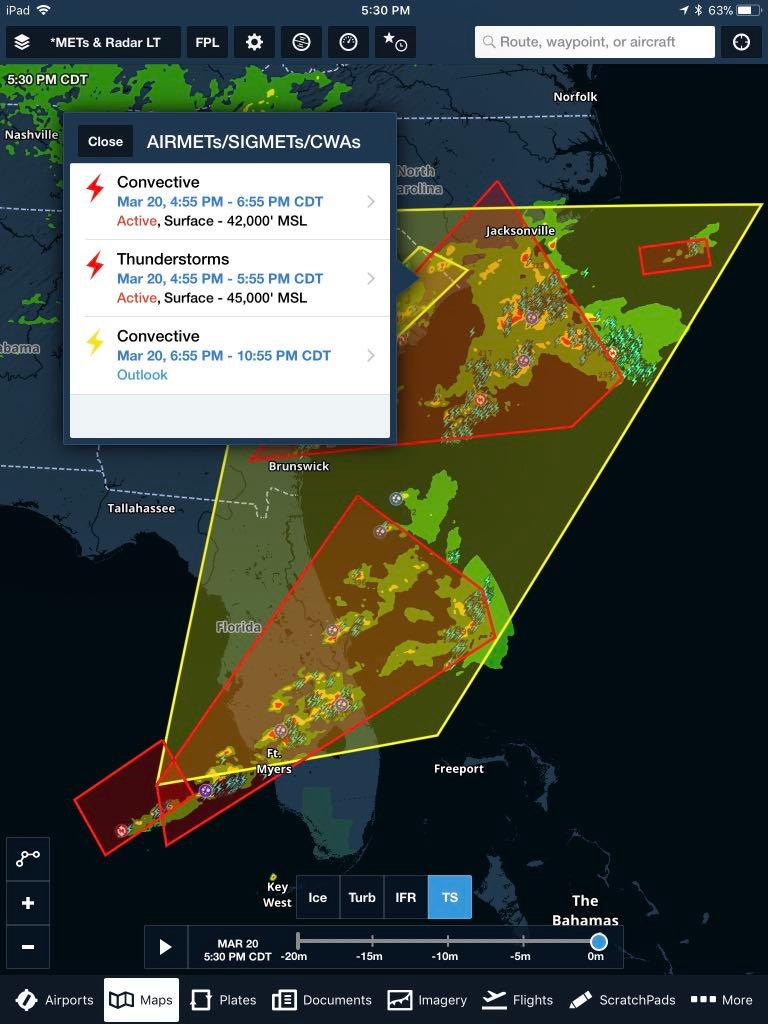
There is an app called ForeFlight used by pilots and a companion app ForeFlight Passenger, for passengers. With ForeFlight pilots can forward flight information to passengers who have the Passenger app on their smart device. However, and I hope to be corrected, weather is not one of them. All other information is the same as what one sees on their IFE, only in a different format. ForeFlight Passenger could be an option if the weather info was made available.
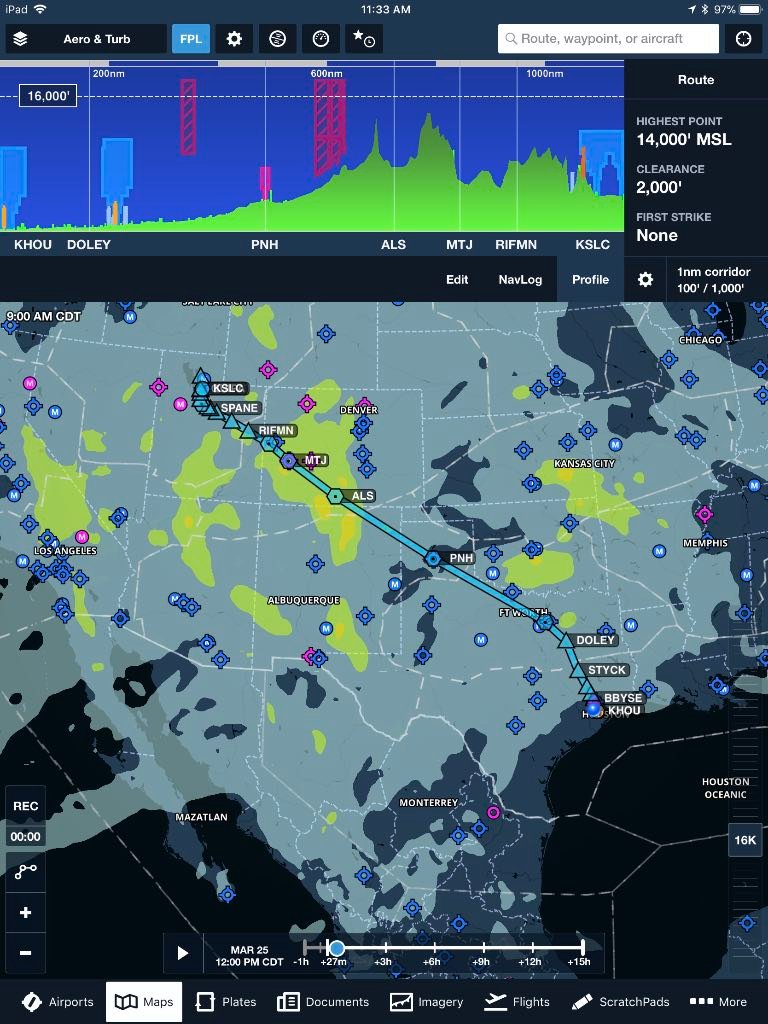
ForeFlight flight planning with turbulence layer screenshot (iPad)

ForeFlight interactive weather screenshot (iPad)

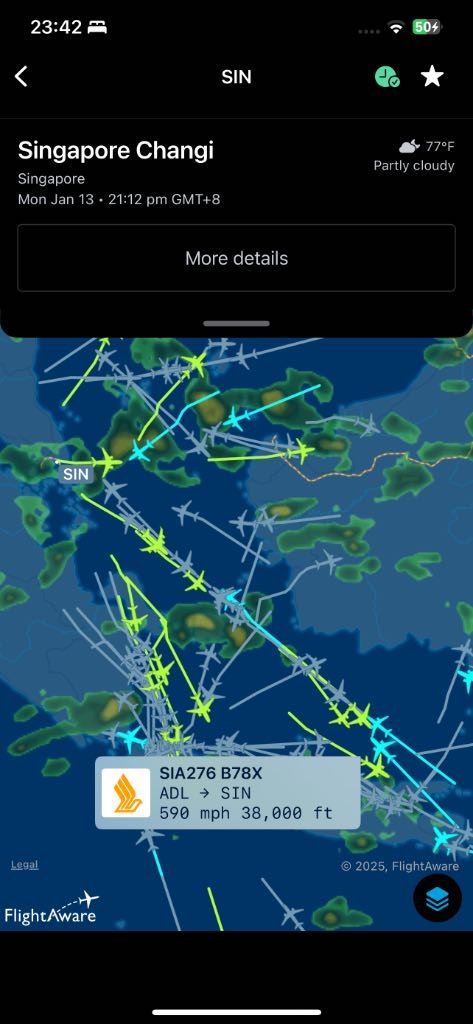
For the time being I have been using an app called FlightAware. It is not a weather app and it is not just specifically targeted at pilots but also to avgeeks (aviation geeks). It checks flights, airport traffic and has layered maps including one showing cloud cover, rain and bad weather (depending on the colour scheme used). The other apps are designed for pilots and have more detailed weather maps and graphics showing wind conditions and bad weather at different altitudes, etc., and also predictions of turbulence, but most of these apps require you to register and are not free. FlightAware is free and does not require registration (unless you want more detailed information with the paid pro version). Although not perfect for predicting weather, FlightAware has enough info to gauge where turbulence caused by bad weather may be occurring. However, it’s not good for predicting clear air turbulence and for a good reason. Clear air turbulence caused by quick moving air (jet stream) can be unpredictable and harder to avoid. Even professional pilots can get caught out. Most times they rely on other pilots ahead for warnings.
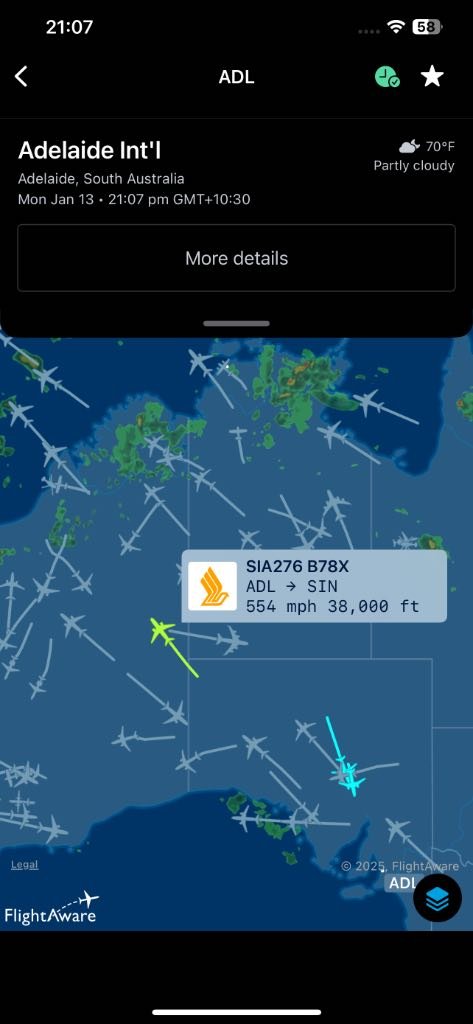
Screenshot of FlightAware with flightpath and weather over Australia (iPhone)

Screenshot of FlightAware with flightpath and weather over Indonesia (iPhone)

I fly regularly with Singapore Airlines and on their IFE they have Flight Path (Panasonic Voyager 3D) a programme showing the route taken. Other airlines have similar programmes. We get to see a lot of info, heading, altitude, air/ground speed, time at arrival/departure airport, headwind/tailwind, etc., but no weather.

So why don’t airlines make this information available on the onboard IFE systems? Is it because they do not want to be responsible if pilots fly through bad weather? It’s a tricky call to make. We put our trust and faith in professional pilots and expect them to do their utmost to take care and make flights as comfortable and as safe as possible for passengers and crew. Miscalculations can happen; not intentional of course. It’s in these situations litigation is always a possibility. It’s the sue mentality; now part of our nature. Blame and seek reparations. Perhaps this could be the reason why certain information is not made public and may not even come to light in court where settlements and reparations are made beforehand.

What I Suggest

My only advice is to stay belted up in your seat as much as possible. Of course within reason, only to get up for toilet breaks and some light exercise. If you require something at your seat get this sorted at time of boarding and before taxiing for takeoff. Grab anything you may want to use like: headphones, laptop, tablet, smartphone, cables, snacks, etc. and put them in the backseat pockets. Do this as soon as possible after everyone has boarded so you won’t be blocking the aisle, and try and avoid getting up to rummage in the overhead bins during the flight unless you know for certain there will be no turbulence (and this at your risk). Anything from the galley let the FAs take care of. I know many like to walk down to the back of the plane (or amidships) to get personal service but this can be avoided or kept to the barest minimum. Important to adhere to any announcements from the cockpit and respect the seat belt sign when lit. By not following instructions you may be deemed at fault and will have little or no legal ground should an injury or loss occur. This is not legal advice. It’s the best advice from a person who wants to avoid getting injured or causing injury. Let’s keep things as simple as possible and follow any directives from the crew on board.

Legalities

As this is not my department I cannot give legal advice only an opinion. I will make no further comments besides what I have already said. I suggest if you have been affected by turbulence, perhaps have had an injury or loss, it is best to take this up with a solicitor (lawyer) and seek their legal counsel.


Wise Choice

The Wise debit card is one money product I use regularly and don’t travel without. I’ve used Wise while in Italy earlier this year and more recently in Amsterdam, London and Brussels. I’ve used it for purchases made online in foreign currency, either products or services in US dollars or accommodation and trains in Europe and the UK in Euros or British Pounds and accommodation and transport in Singapore in Singapore dollars as well as POS purchases at supermarkets, eateries and pharmacies. All done in their respective currencies and bought at favourable exchange rates.

In Italy I paid for all my train tickets, fast trains and regional trains and the Leonardo Express from Roma Termini to Fiumicino Airport. All booked with the Italian state railway company Trenitalia and effortlessly done with the Wise app on my smartphone (in my case the iPhone). Important though to have data either through a local SIM (or eSIM) or one that allows you international data. You have to remember when dealing with money your connections have to be secure so preferably do not use hotel or airport WiFi etc.

Shopping at supermarkets is also a breeze via contactless POS, either by tapping the physical card or the smartphone (Apple Pay, Google Pay, etc.).

As a travel debit card I do recommend Wise for the excellent foreign exchange rates and low transaction fee when buying foreign currency. It is a great alternative to carrying too much cash and very competitive compared to travel money cards (issued by banks, Travelex etc.), credit cards and other debit cards (that banks charge and then gouge you on non-favourable exchange rates).

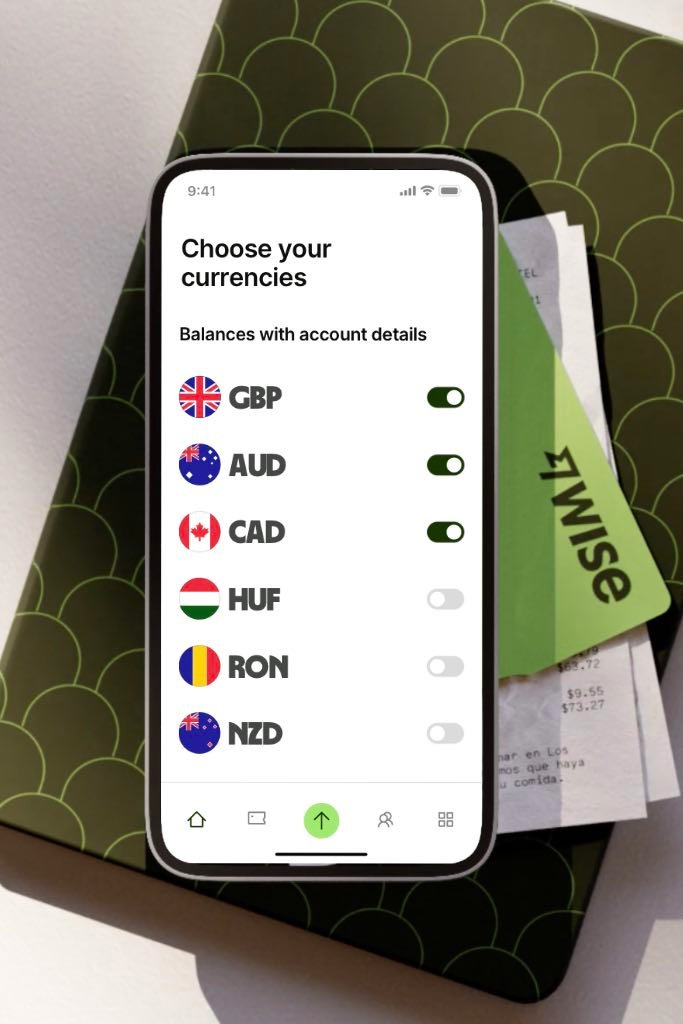
The Wise foreign currency account can be loaded with up to 40 currencies

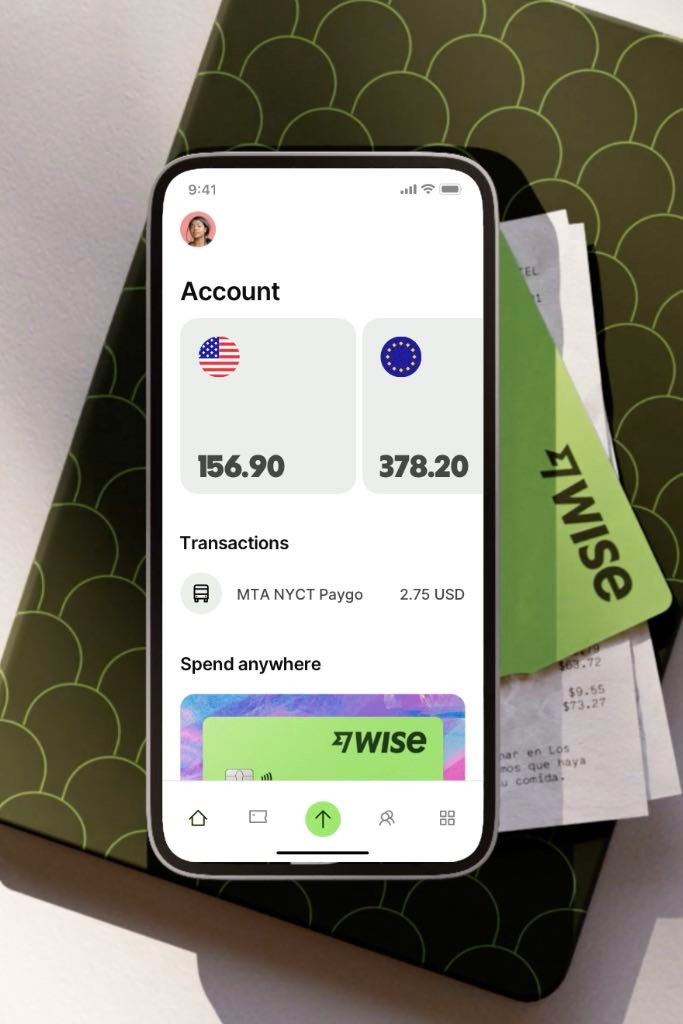
The account shows amounts in the different currencies and where money has been spent

The Wise debit card does have one drawback, luckily the only one, it’s the limited number of ATM withdrawals that can be made per month and the amount of cash capped at a low $AUD300.00. I don’t withdraw money from ATMs especially those I’m not familiar with so I am not too fussed about withdrawing money from ATMs. I get around this by carrying some foreign currency in cash that I purchase (exchange) either back home or at the better known bureaus abroad. Of course you can negotiate at all bureaus and perhaps get a slightly better deal than what is advertised, just make sure to check rates on your smartphone. I use XE. Their rates are refreshed every 60 seconds. Visit XE or use their app. Remember rates quoted are mid-rate so leave a small margin for the bureaus to make their money. The rates on Wise are much, much closer to the mid-rate.

My perfect combination: the Wise card, some cash and a credit card for pre-authorisations. This is all you need when travelling.

In summary Wise is quick and easy to use either via: physical card or mobile app with Apple Pay, Google Pay, etc. You can’t go wrong.

Visit Wise for more information on their foreign currency accounts, debit card and mobile phone app.


iStudio Apple Premium Reseller

Handy Apple Reseller At Changi Airport Singapore

iStudio is an Apple premium reseller in Singapore.

Been to several of their stores, Plaza Singapura and at Changi Airport, Terminal 2 and Terminal 3.

If you want to purchase something at the airport while transiting a good idea is to check their website first before arriving to see if they have what you require. All shops have plenty of accessories, but if you are looking to purchase an iPhone, iPad or MacBook make sure to check. Otherwise you can always order online and pickup later. I wanted an Apple Pencil as I bought an iPad Pro 12.9 for my daughter several weeks earlier at home in Australia and the Pencil was out of stock. She wanted the iPad with her so she could draw while on the plane and during our holiday. I checked their website and went to Terminal 2 (as Terminal 3 didn’t have any) and bought the Pencil and a Lightning Cable, both minus the 7 percent GST (tax).

So if you want to purchase something, it is best done at the Airport where the GST is automatically taken out of the price. In other words tax free. If you do it in their other stores you need to either pick up the eTRS ticket or use a credit/debit card as a token and then go through the process when at the airport.

Prices are very similar worldwide. A little more in some cases compared to Australia, but they are there just in case you need Apple accessories. The staff I’ve met over the years have been good too.

Do I recommend shopping at their airport stores? Make sure to get clear answers from the staff and know they have the stock available first. Then I would say yes. Remember though there isn’t much to save buying Apple gear in Singapore unless there is some huge sale or you have accumulated many Changi Dollars (a promotion run by Changi Airport aimed at transiting passengers from certain countries), like I did on another visit when I had $SGD120.00. Then by all means check them out.

For more information on products, sale items, store locations, etc., visit the iStudio Singapore website.


Making tavel easier with smartphone apps, but do they?

There are some apps that are very useful while travelling and make the experience less of a worry and others that are just a waste of space. Traveller.com.au in a recent article mentioned ten apps that should make that easier.

Here’s the list:

Of all these apps the one that stands out the most is TripIt, which is free. There is also a paid version, TripIt Pro, but the free version has many of the bells and whistles that’s required to keep your travel plans in order. I’ve used TripIt and it’s great, but I’ve come to like another very similar app, TripCase (from Sabre), which is totally free and does not require a pro version. If you travel a lot and in particular for business then I would recommend TripIt Pro.